
Work Setups & Productivity • 2026
Must-Have Productivity Tools for Remote and Hybrid Workers (2026)
The best productivity tools for remote and hybrid workers are not the ones
with the most features. They are the tools that remove daily friction,
maintain focus, and make work reliable across home, office, and travel.

Productivity starts with reliable work infrastructure.
A small, compatible set of tools can reduce friction across every
place where hybrid work happens.
Expert Product Lab Visual Analysis • 2026
The Problem With More Tools
Hybrid work has created an endless market for accessories, software, and
devices that promise better productivity. The problem is that adding more
tools does not automatically improve the way work gets done.
A second headset, another task app, an extra adapter, or a new AI
subscription can create more switching, compatibility problems, and support
work when it is not connected to a real operational need.
The goal is not to build the largest possible toolkit. It is to build a
small, dependable system that helps people connect, communicate, focus,
move between locations, and work securely without rebuilding their setup
every day.
a recurring source of friction, improves a defined workflow, or protects
work that would otherwise be exposed to unnecessary risk.
The Five Layers of a Reliable Hybrid Toolkit
A reliable hybrid work setup has five connected layers. Each one solves a
different problem, but weak links in any layer can affect productivity
across the full workday.
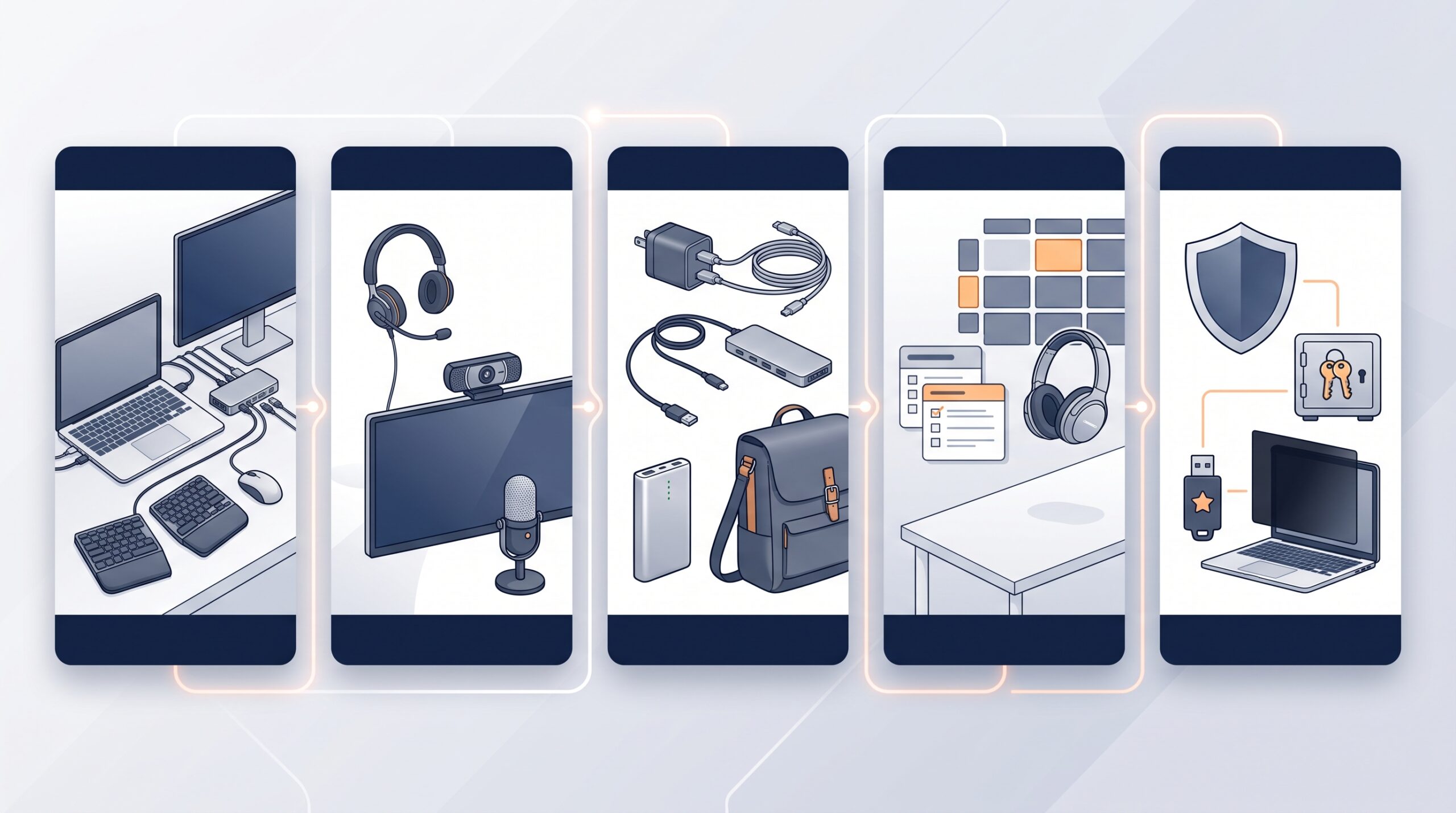
Hybrid productivity depends on connected layers.
Workspace equipment, communication, mobility, focus, and security
should work together rather than become separate purchases.
Expert Product Lab Framework • 2026
1. Workspace
A reliable desk foundation includes a laptop stand, monitor, dock,
keyboard, mouse, charging, and cable management. The goal is to make
the workstation comfortable and simple to connect.
2. Communication
A professional headset, clear microphone, webcam, and appropriate
lighting improve meeting quality. These tools matter most when
collaboration is a core part of the role.
3. Mobility
Compact chargers, travel docks, portable power, and a practical work
bag help employees recreate a reliable setup when they move between
home, office, client sites, and travel locations.
4. Focus
Noise control, calendar blocks, a simple task system, and an organized
desk reduce interruptions and make it easier to sustain attention on
important work.
5. Security
Password management, multi-factor authentication, privacy screens
where appropriate, and approved remote-access processes protect work
outside the traditional office environment.
What Every Hybrid Worker Needs
A universal baseline does not mean every employee receives the same
equipment. It means that every hybrid worker has a minimum set of
compatible, supportable tools for doing reliable work across locations.
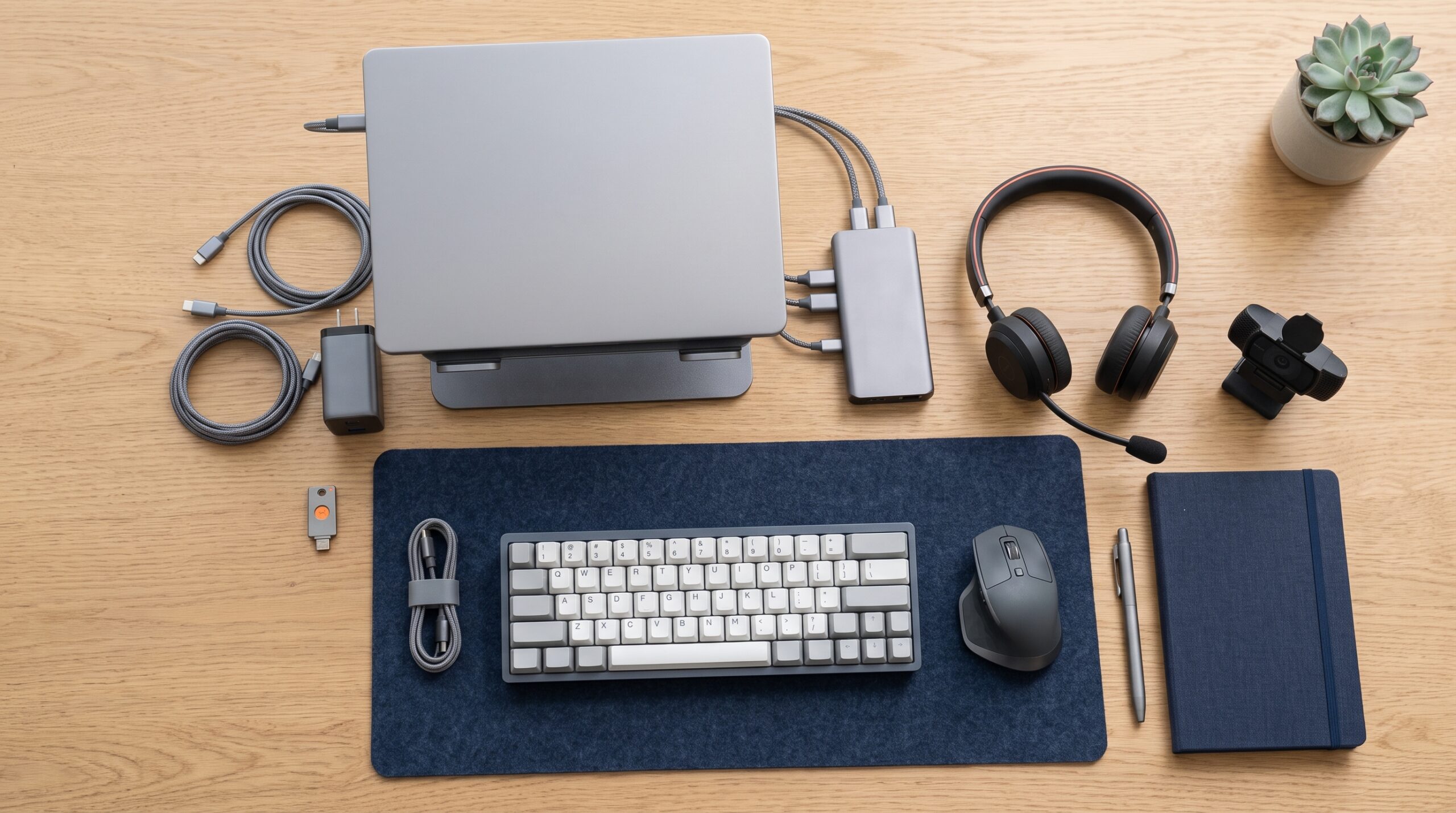
The baseline should solve everyday friction first.
A few reliable tools are more valuable than a desk full of isolated
accessories that create compatibility and support problems.
Expert Product Lab Visual Analysis • 2026
Laptop Stand or Monitor
Use a laptop stand when working from a compact setup, or an external
monitor when the role requires extended writing, analysis, design, or
multi-window work. Screen height and viewing distance should support
a comfortable, sustainable posture.
Reliable Dock and Charger
A compatible USB-C or Thunderbolt dock reduces the time needed to
connect displays, power, ethernet, audio, and accessories. A
dependable charger prevents the workday from becoming a search for
the correct cable.
Professional Headset
For employees who spend meaningful time in meetings, a headset with a
clear microphone is more useful than relying on laptop audio. It
improves communication while reducing distraction in shared spaces.
Simple Work System
A calendar, a task list, and a place for notes are often enough. The
value comes from consistent use, not from adding multiple overlapping
productivity applications.
For a more detailed guide to selecting physical workspace upgrades, read
Top Desk Accessories for Better Focus at Work
.
Build by Work Profile
The correct toolkit depends on the work being performed. A useful baseline
gives everyone reliability, while role-based profiles direct additional
investment toward the people who can turn it into a measurable operational
improvement.
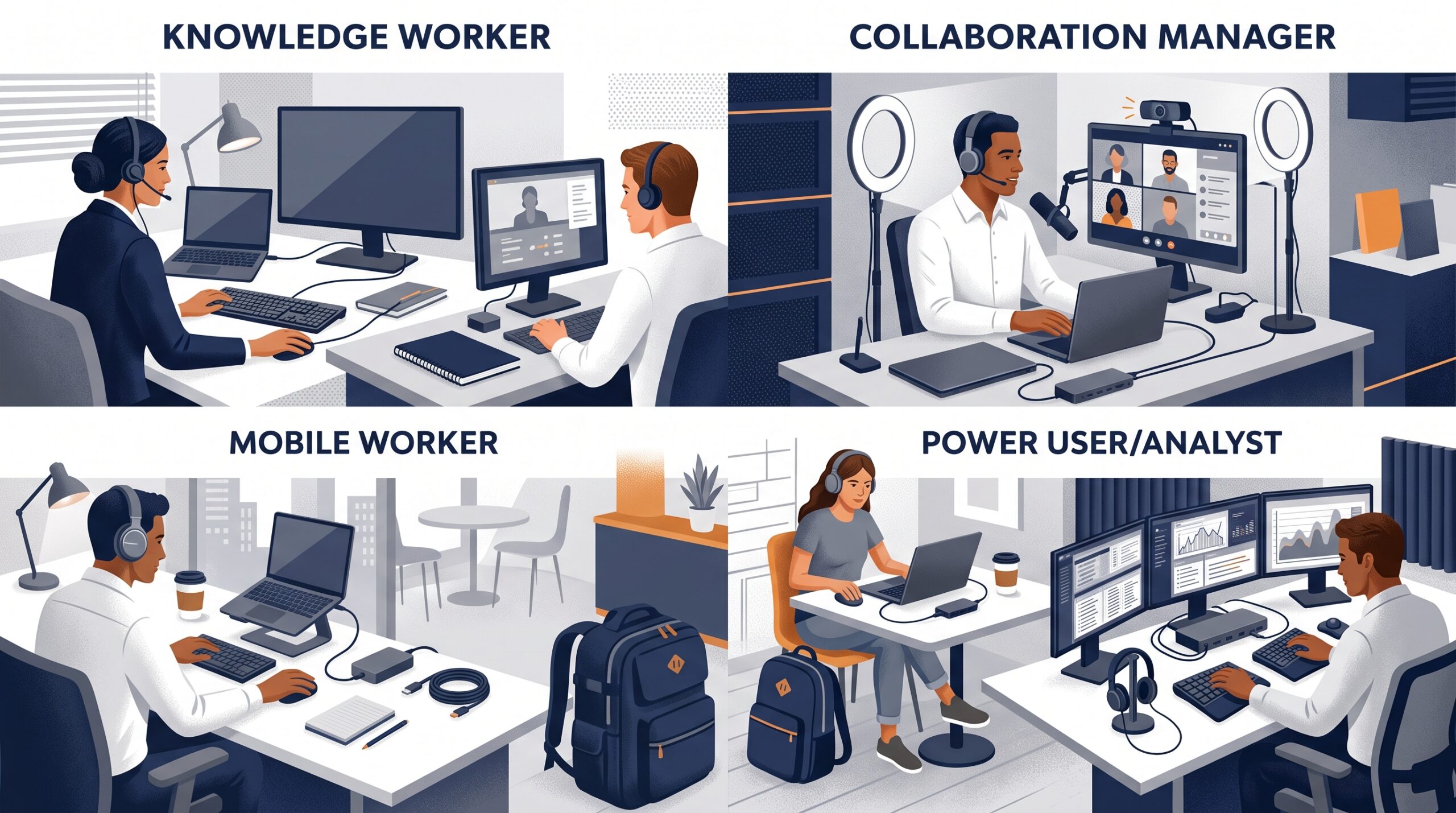
Standardize the foundation and differentiate where work requires it.
The best hybrid toolkits match real work profiles without creating
unnecessary exceptions for IT and procurement.
Expert Product Lab Framework • 2026
Knowledge Workers
Prioritize a comfortable display setup, reliable audio, a simple dock,
and a consistent task system. Most knowledge work benefits more from
reduced friction than from high-performance hardware.
Managers and Collaborators
Invest in meeting reliability: clear audio, a strong webcam, useful
lighting, and a predictable home or office environment for frequent
calls and cross-functional collaboration.
Mobile Workers
Prioritize lightweight devices, compact chargers, travel docks,
portable power, noise control, and a durable bag. The goal is to
recreate a capable workspace without carrying unnecessary equipment.
Analysts and Power Users
Prioritize more display space, ergonomics, stable connectivity, and
hardware performance where large data sets, reports, creative work, or
demanding applications are a documented workflow constraint.
If your organization needs a manageable baseline across these profiles,
read
Hardware Standardization for Hybrid Work
.
What Not to Add
Some tools create more work than they remove. A disciplined hybrid setup
avoids products and subscriptions that introduce duplication, instability,
or an unsupported exception without a clear reason.
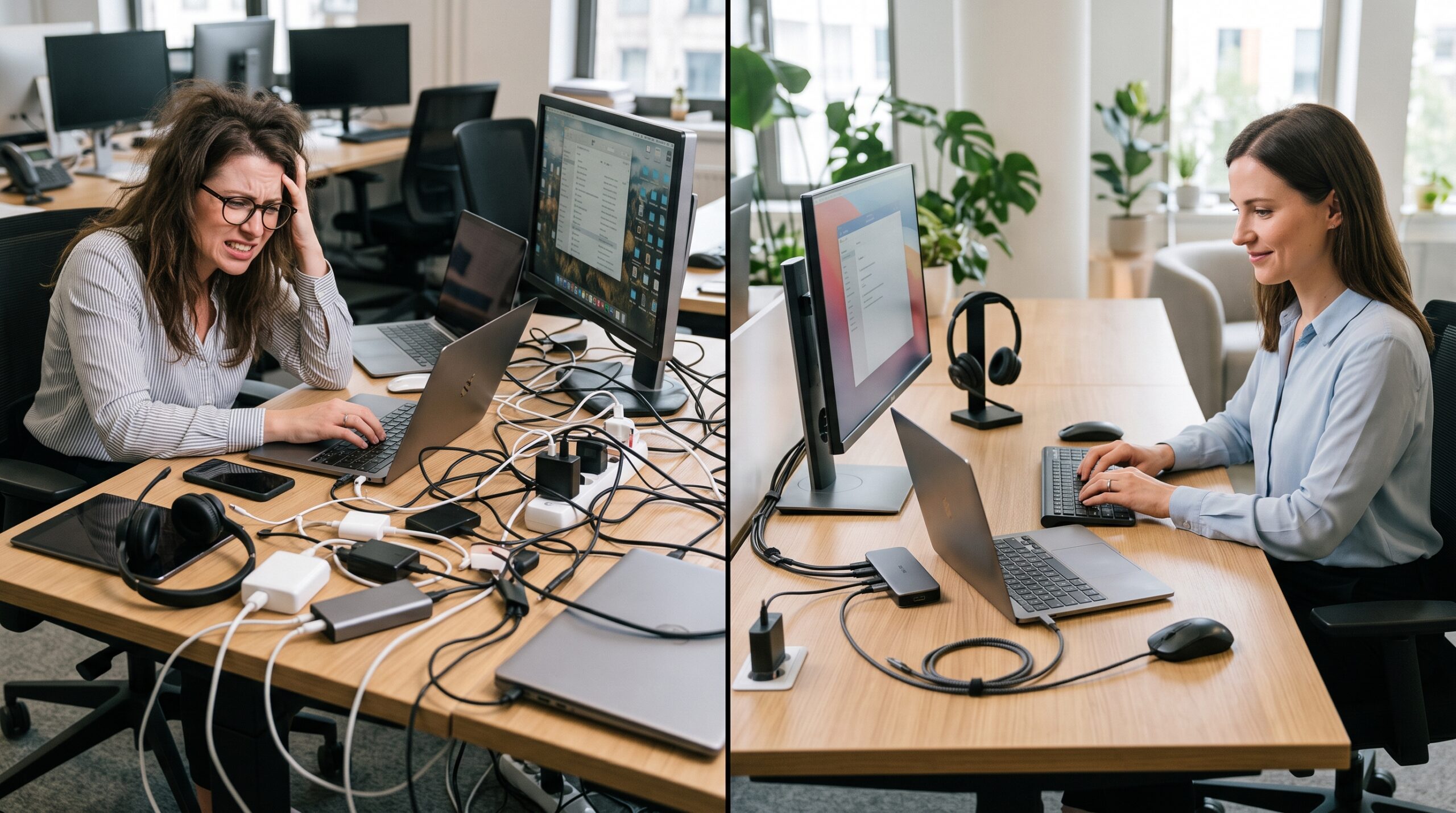
A smaller toolkit can produce a more reliable workday.
Remove duplication before adding another device, app, adapter, or
subscription to the hybrid work environment.
Expert Product Lab Visual Analysis • 2026
Duplicate Applications
Avoid multiple task managers, messaging platforms, note systems, or
collaboration tools that perform the same function without a defined
ownership or integration model.
Unverified Accessories
Avoid low-quality hubs, chargers, and adapters that cannot reliably
support the device fleet. Inexpensive accessories can create repeated
failures and a larger support burden.
Unsupported Exceptions
Do not add devices that require special drivers, unapproved software,
or unique support processes unless they solve a clearly documented
business requirement.
Tools Without a Workflow
Do not adopt a tool because it is popular or feature-rich. Define the
workflow, the owner, and the outcome first, then assess whether the
tool reduces a meaningful source of friction.
Run a Hybrid Productivity Audit
Review the toolkit regularly. The purpose is not to standardize every
preference, but to identify recurring obstacles and invest where the
improvement will matter most.
Hybrid productivity toolkit checklist:
- [ ] Can employees connect their laptop to an approved desk setup quickly and reliably?
- [ ] Do remote and office-based meetings have consistently clear audio and video?
- [ ] Does each worker have a reliable charging and connectivity solution?
- [ ] Are duplicate apps or accessories creating confusion and avoidable cost?
- [ ] Are tools assigned according to work profile rather than personal preference alone?
- [ ] Are password management, multi-factor authentication, and approved access practices in place?
- [ ] Does every tool solve a recurring work problem that can be explained clearly?
Build a More Reliable Hybrid Work System
A strong toolkit is only one part of a productive hybrid environment.
Teams also need thoughtful workspace design, manageable standards, and
a budget that considers lifecycle cost rather than purchase price alone.
Continue Building Your Hybrid Work Stack
Explore the related EPL guides for creating reliable, focused, and
supportable hybrid work environments.
-
Enterprise Work Setups: Building Focused, Ergonomic Environments
Design practical workspace foundations around ergonomics, lighting,
desk layout, and sustainable daily work.
-
Hardware Standardization for Hybrid Work
Reduce device variation, simplify IT support, and build a reliable
foundation for hybrid teams.
-
Top Desk Accessories for Better Focus at Work
Choose desk accessories that improve focus, comfort, connectivity,
and visual organization.
-
The Hybrid Work Technology Budget
Prioritize hardware, support, software, and AI investments using a
practical enterprise ROI framework.



Pingback: Work From Home Productivity Essentials for 2026