
Work Setups & Productivity
Hardware Standardization for Hybrid Work: How Enterprise Teams Reduce Support Friction and Improve Productivity
Disclosure: This article may contain affiliate links. As an Amazon Associate,
Expert Product Lab earns from qualifying purchases, at no additional cost to you.
How to reduce support friction, limit invisible downtime, and improve the baseline productivity of distributed teams.
Hardware standardization is not about forcing one laptop on every employee. It is about creating a small set of reliable, supportable device profiles that work consistently across home, office, and hybrid environments.

Hardware consistency is operational infrastructure.
Standardization reduces the everyday friction created by incompatible
devices, accessories, and work environments.
Expert Product Lab Visual Analysis • 2026
Many enterprise productivity problems do not begin with software. They begin when every employee works in a different hardware environment.
A fragmented device fleet creates a cumulative tax on daily operations. Different laptop configurations, missing dock drivers, inconsistent external displays, low-quality headsets, and non-standard charging solutions create recurring interruptions. Each moment may seem minor: a five-minute delay joining a call, a monitor that fails to connect, or a webcam that performs poorly.
At enterprise scale, however, these small points of friction become a larger operational problem: more IT support tickets, longer onboarding cycles, costly downtime, and inconsistent meeting experiences.
Why “Choose Your Own” Fails
Giving employees complete freedom to select their preferred hardware can look like a benefit. In practice, it often creates avoidable complexity for users, IT teams, and the business.
For Users
Different device configurations can mean inconsistent performance, incompatible desk accessories when visiting the office, and slower resolution when something fails.
For IT Teams
Supporting an expanding mix of models, operating systems, docks, peripherals, and firmware versions makes diagnostics less predictable. Spare-device inventory and purchasing also become harder to manage.
For the Business
It becomes harder to estimate total cost of ownership, plan refresh cycles, apply consistent security controls, and maintain a reliable baseline experience for employees and customers.
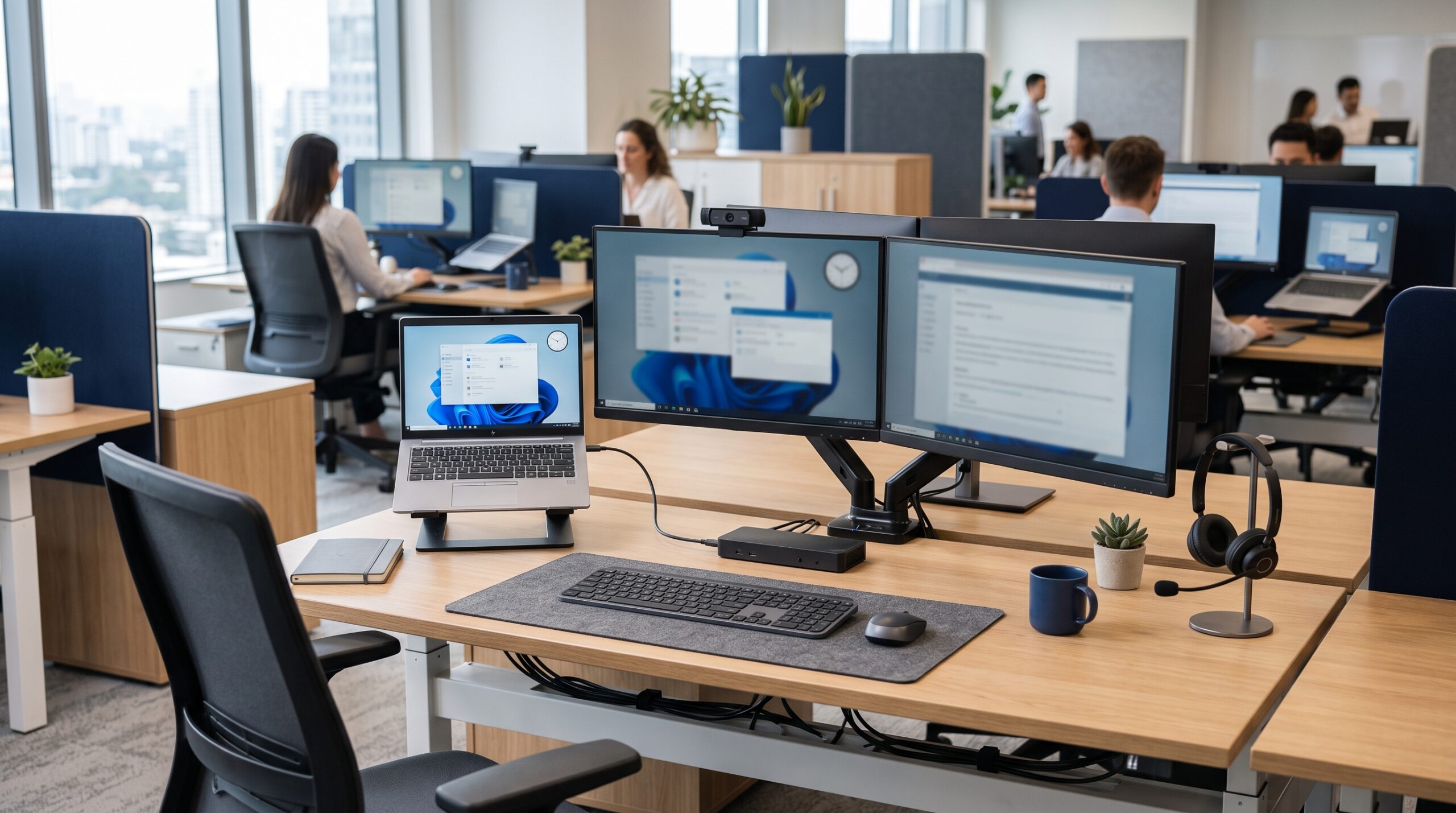
A repeatable workstation reduces the support burden.
Approved laptops, docks, displays, audio devices, and charging standards
give users a familiar environment across home and office locations.
Enterprise Work Infrastructure • 2026
The Golden Rule
Choice feels flexible at the moment of purchase. Standardization becomes valuable throughout every working day that follows.
Standardization Does Not Mean One Computer
The most common misunderstanding is that standardization means assigning the exact same machine to every employee. Effective standardization means maintaining a small, carefully selected set of approved functional profiles.
A healthy enterprise hardware policy should define:
- A limited catalog of approved laptop models.
- Approved docks and a consistent connectivity and charging standard, such as USB-C or Thunderbolt where appropriate.
- Baseline standards for external displays and desk connectivity.
- Certified headsets and webcams designed for the organization’s collaboration platforms.
- Predictable, financially planned device refresh cycles.
- Clear, documented criteria for hardware exceptions.
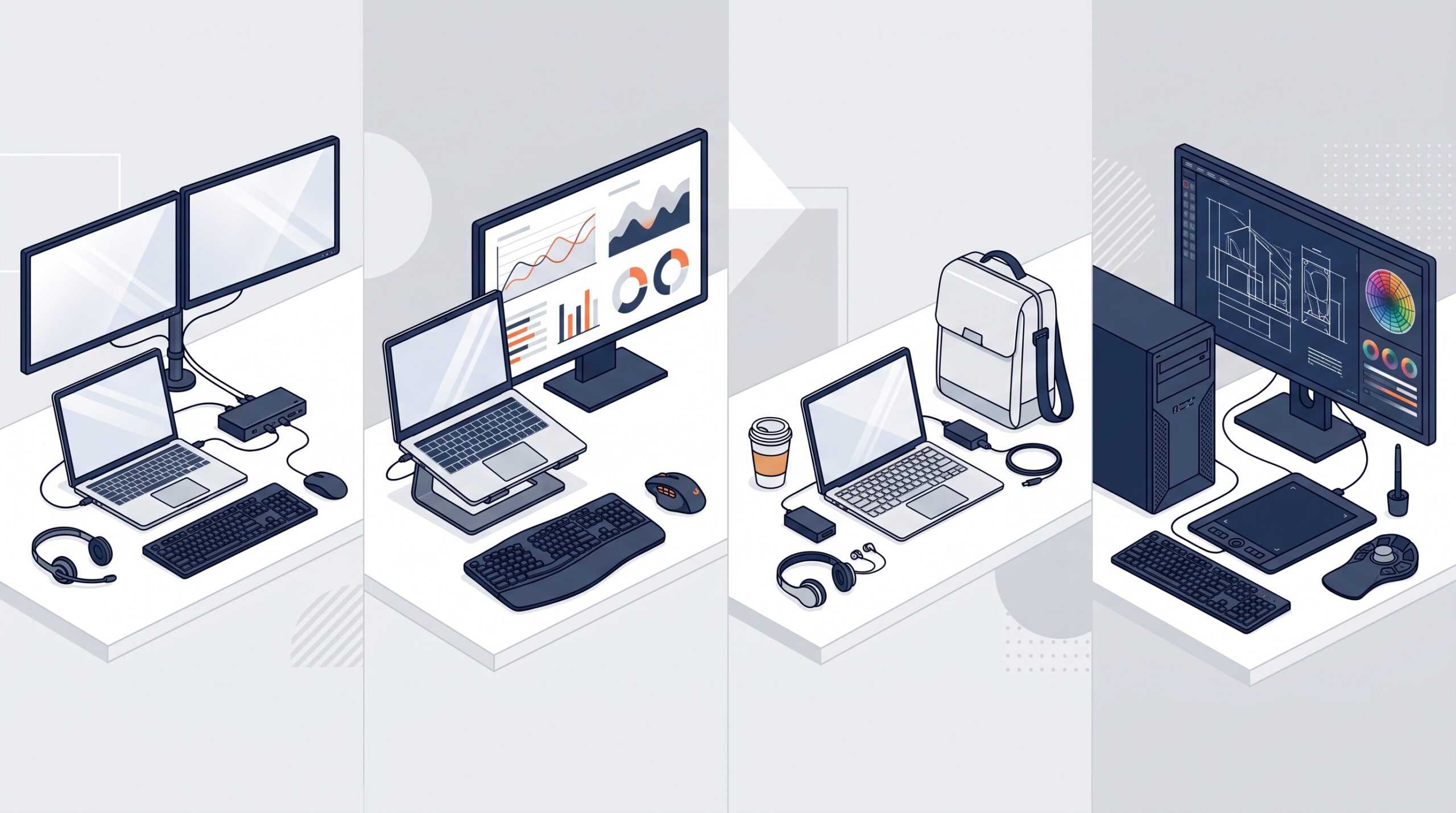
Standardize profiles, not people.
A small catalog of approved configurations supports different workloads
without creating an uncontrolled device fleet.
Expert Product Lab Framework • 2026
Standardized hardware profiles create a more reliable foundation, but the
individual workstation still matters. See which practical tools can improve
comfort, connectivity, and daily concentration in our guide to
desk accessories for better focus at work
.
The Four Essential Hardware Profiles
To balance operational control with employee needs, organizations can map most of their workforce into four core profiles.
| Profile | Primary Priorities | Recommended Baseline |
|---|---|---|
| Knowledge Worker | Reliable performance, video calls, ergonomics, and plug-and-play operation. | Standard corporate laptop, approved dock, two 1080p or 1440p monitors, and a certified headset or webcam. |
| Power User / Analyst | More memory, larger visual workspace, and stable multitasking. | Higher-specification laptop, higher-bandwidth dock, and either an additional display or ultrawide monitor. |
| Mobile / Field Worker | Low weight, all-day battery life, dependable charging, and portable collaboration. | Lightweight business laptop, compact multi-port GaN charger, travel-friendly noise-cancelling headset, and secure remote access. |
| Engineering / Creative Exception | Specialized performance for demanding technical or creative workloads. | High-capacity workstation selected from a tightly approved premium catalog with defined support and refresh cycles. |
How to Define the Right Standard
Build the device catalog around real workflows, not personal brand preferences. Before signing a purchasing agreement, ask the following questions:
Hardware standardization discovery questions:
- Which applications does each profile use every day?
- Where does that work happen: home, office, field locations, or a rotating combination?
- Which hardware failures create the highest volume of IT support tickets?
- Which accessories—docks, adapters, audio devices, or displays—create the most meeting-room delays?
The objective is to establish the minimum reliable standard for each profile, not to purchase the most powerful device for every employee by default.
Exceptions Without Losing Control
Exceptions are inevitable. They should be governed by a simple policy that can be applied consistently: customized hardware is appropriate when justified by workload, accessibility, security, or a specific operational requirement—not personal preference alone.
A practical exception process includes:
- A formally documented technical request.
- Approval from both the direct manager and IT operations.
- A business case connected to a software limitation or task requirement.
- A limited catalog of approved specialist options rather than open-market purchasing.
- A mandatory review when the device reaches its scheduled refresh date.
The Return on Standardization
When an organization implements a standardized hardware matrix, the value appears on both sides of the support desk.
Return for Users
Fewer recurring compatibility issues, faster device replacement, more consistent work across locations, dependable meeting audio and video, and less time spent configuring workstations.
Return for IT
Fewer variations to troubleshoot, repeatable onboarding, predictable procurement, simpler spare-device inventory, and clearer lifecycle and endpoint-management processes.
Hardware Standardization Audit
Use this checklist with the IT committee to determine whether the current device fleet is under control:
Fleet audit checklist:
- [ ] How many different laptop models are currently active in the environment?
- [ ] Which docks and chargers are officially supported and available in stock?
- [ ] Is there a mandatory baseline standard for audio and video quality?
- [ ] Can employees move between home and office hot-desks without losing productivity?
- [ ] How much downtime occurs when an employee needs a replacement device?
- [ ] Are high-specification hardware exceptions documented and justified?
- [ ] Does the asset-management system clearly flag when each device is due for refresh?
Final Thought
Hardware standardization is not an IT restriction. It is a productivity system that removes friction before it reaches the employee.
Explore the EPL Infrastructure Hub
Continue building a more reliable, productive, and financially disciplined enterprise work environment.
-
Enterprise Work Setups: Building Focused Environments
Practical guidance for creating ergonomic, consistent hybrid environments across home, office, and shared spaces. -
Best Productivity Gadgets for Enterprise Workers
Curated desk hardware and accessories designed to remove friction from everyday enterprise work. -
AI Budget Scenario Planner
Model low, base, and high-budget scenarios across enterprise tooling, implementation, and sustenance. -
Enterprise AI Budgeting in 2026
Learn how licensing, maintenance debt, and poor allocation decisions can damage enterprise ROI.


Pingback: Enterprise Work Setups: Ergonomic Guide (2026) | EPL
Pingback: Best Productivity Gadgets for Enterprise Workers (2026)
Pingback: Best Home Office Setup for Digital Agencies 2026 (Founders & Teams)
Pingback: Hybrid Work Technology Budget: What to Fund in 2026
Pingback: Best Productivity Tools for Remote and Hybrid Workers (2026)
Pingback: Enterprise Tool Sprawl: Reduce SaaS Waste in 2026